Getting started
There are three ways to run DAEdalus. The live workbench needs nothing installed; the release binaries give you the command line; building from source gives you everything, including the workbench on your own machine.
1. The live workbench
Open daedalus.apps.ezkeel.com. The page
loads the bundled Daedalus library first, then the Modelica Standard Library 4.1.0 in the
background (about 2.6 MB, unpacked in the browser).
- Pick a model in the Packages tree on the left. Models with a ▶ have an
experimentannotation and can be simulated as they are; tryDaedalus.Examples.TorqueConverter.StallTest. - Look at it in the Icon, Diagram, Text, Documentation or Flat model tab. Click a component in the diagram to see its parameters on the right.
- Press ▶ Simulate (or Ctrl+Enter). The page switches to Simulation: the left pane becomes the variable browser, and models with shapes open in Animation.
- Switch to Plot and tick variables to plot them. New subplot adds a plot below, and the x-axis list turns a subplot into a parametric plot.
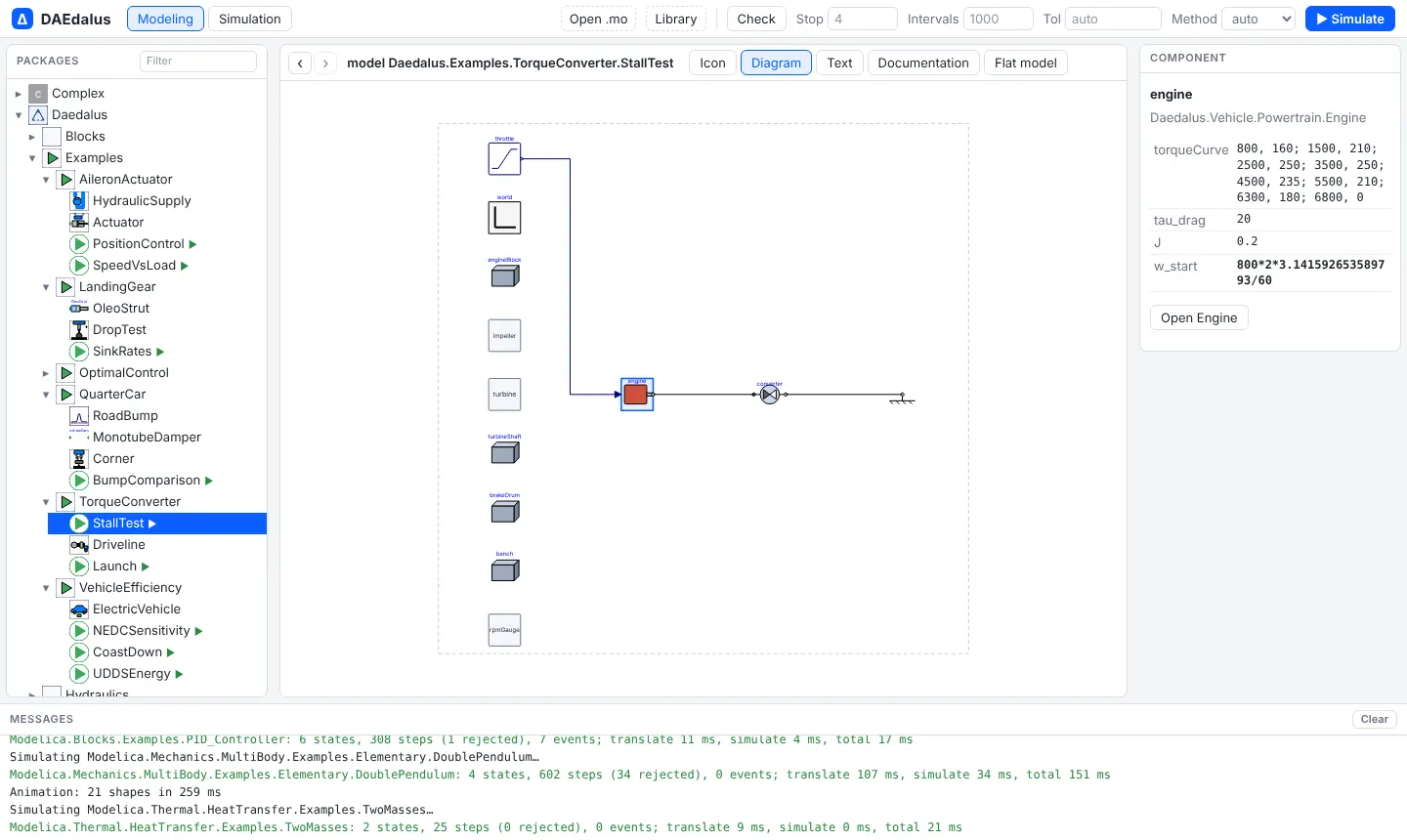
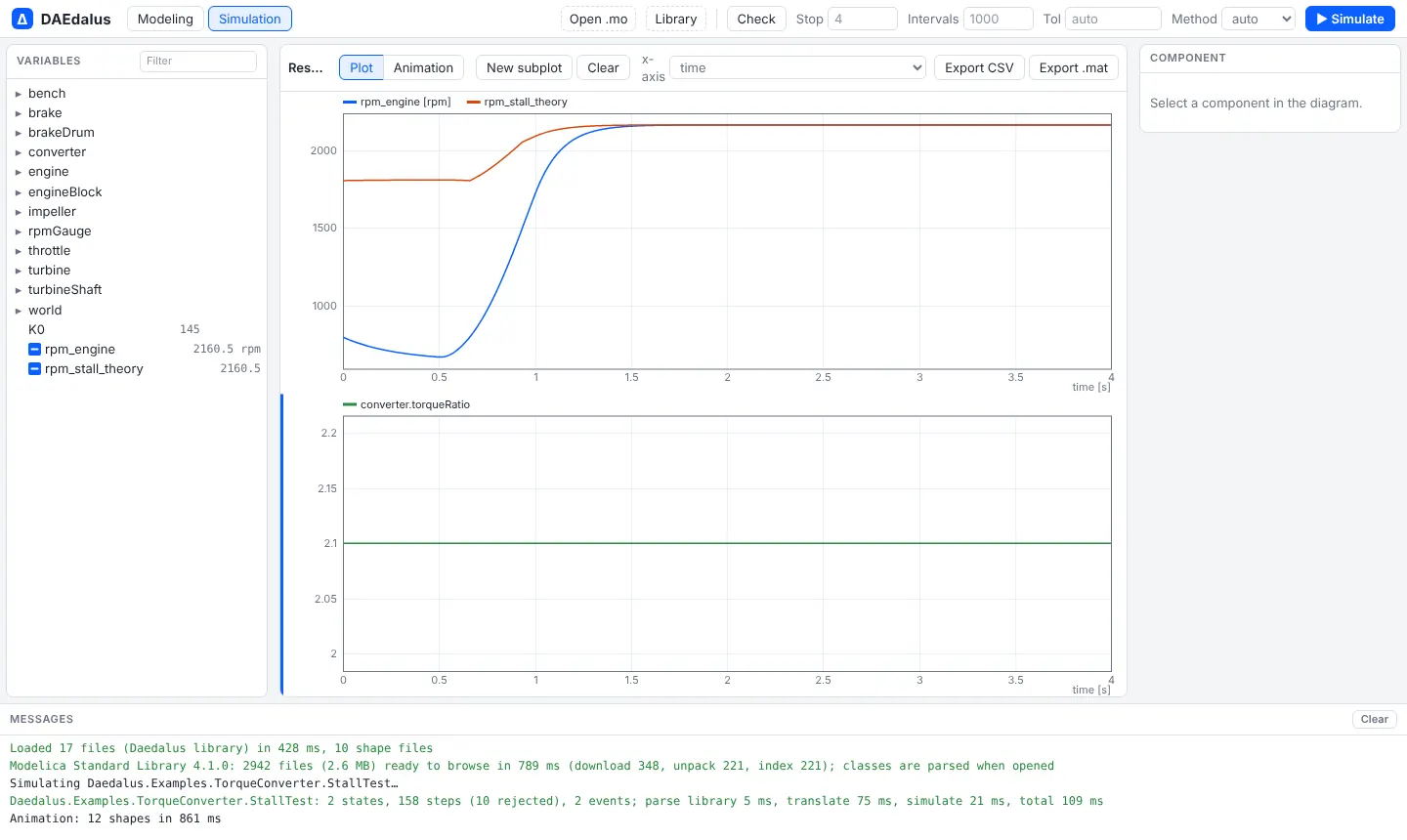
Every class has its own address: the URL ends in # and the class name, so a link such as
/#Modelica.Electrical.Analog.Examples.ChuaCircuit
opens that model directly, and the browser's Back and Forward buttons (or Alt+← and Alt+→)
walk through the classes you opened.
Your own models open with Open .mo (single files, plus .stl and .obj meshes for
3-D shapes) or Library (a whole folder, such as a library checkout).
2. Release binaries
Each GitHub Release has archives for
Linux (x86_64), macOS (Apple Silicon and Intel) and Windows (x86_64). An archive holds the
daedalus command line tool, the FMI runtime it bundles into FMUs, and the
library/Daedalus example library:
tar xzf daedalus-v0.1.0-x86_64-unknown-linux-gnu.tar.gz
cd daedalus-v0.1.0-x86_64-unknown-linux-gnu
./daedalus simulate library/Daedalus -m Daedalus.Examples.LandingGear.SinkRates -o sink.mat
On macOS, clear the download quarantine first with
xattr -dr com.apple.quarantine <folder>, since the binaries are not notarized.
The release also carries the daedalus-casadi Python wheel for
optimal control: pip install daedalus_casadi-*.whl, with the
extracted folder on PATH (or DAEDALUS_BIN pointing at the executable).
3. From source
You need a Rust toolchain; the workbench also needs Node 22 and wasm-bindgen-cli 0.2.129.
git clone https://github.com/ferax564/DAEdalus
cd DAEdalus
cargo build --release

# Translate a model and print statistics
./target/release/daedalus check library/Daedalus -m Daedalus.Examples.TorqueConverter.StallTest

# Simulate it; results as a Dymola .mat file or as CSV
./target/release/daedalus simulate library/Daedalus -m Daedalus.Examples.QuarterCar.BumpComparison \
    -o bump.csv --vars clean.body.s,aerated.body.s
check prints what the backend did with the model:
model Daedalus.Examples.TorqueConverter.StallTest
  parse 40.2 ms, flatten 4.6 ms, backend 1.6 ms
  flat: 551 variables, 425 equations
  aliases removed: 393
  states: 2 (0 dummy derivatives)
  differentiated equations: 0
  blocks: 32, algebraic loops: 0 (largest 0, 0 tearing vars, 0 linear)
  initialization: 34 blocks, 0 loops
  events: 2 relations, 0 when-clauses
  tape: 317 instructions, 1425 registers
To run the workbench locally:
cd web
npm ci
npm run wasm     # builds crates/daedalus-wasm and runs wasm-bindgen
npm run msl      # downloads MSL 4.1.0 and packs it into public/msl/
npm run dev      # http://localhost:5173
Or build the same container the live site runs, which serves the workbench and these docs with nginx:
docker build -t daedalus-web .
docker run --rm -p 8080:80 daedalus-web # workbench at http://localhost:8080, docs at /docs/Writing a model
DAEdalus reads standard Modelica. A first model, saved as Pendulum.mo:
model Pendulum "Nonlinear pendulum with damping"
  parameter Real L = 1 "Length [m]";
  parameter Real g = 9.81;
  parameter Real d = 0.2 "Damping";
  Real phi(start = 0.5, fixed = true) "Angle [rad]";
  Real w(start = 0, fixed = true) "Angular velocity [rad/s]";
equation
  der(phi) = w;
  L^2*der(w) = -g*L*sin(phi) - d*w;
  annotation (experiment(StopTime = 10));
end Pendulum;
./target/release/daedalus simulate Pendulum.mo -m Pendulum -o pendulum.csv --vars phi,wIn the workbench, Open .mo loads the same file into the package browser. Models that use the bundled library or the MSL need no extra setup in the workbench; on the command line pass those libraries as extra sources (see Command line).